> For the complete documentation index, see [llms.txt](https://docs.kolibrio.xyz/llms.txt). Markdown versions of documentation pages are available by appending `.md` to page URLs; this page is available as [Markdown](https://docs.kolibrio.xyz/kolibrio-validator/how-to-view-and-claim-rewards.md).
# How to View & Claim rewards
#### **Overview**
When staking SOL with the **Kolibrio validator**, you earn two types of rewards:
1. **Inflation rewards** – added automatically to your stake account each epoch and **automatically re-compounded**
2. **Jito MEV rewards** – shown as inactive stake and available for **manual claiming and re-compounding**
🟢 **Kolibrio charges 0% commission** and shares **100% of both inflation and Jito MEV rewards** with stakers.
#### **How to View Rewards on Solscan**
Go to [Solscan](https://solscan.io/) and either:
* **Search for your stake account** directly (e.g., `9X9H...MowWn`),
* **Or search for your wallet address** and click the **"Stake Accounts"** tab to view all associated stake accounts.
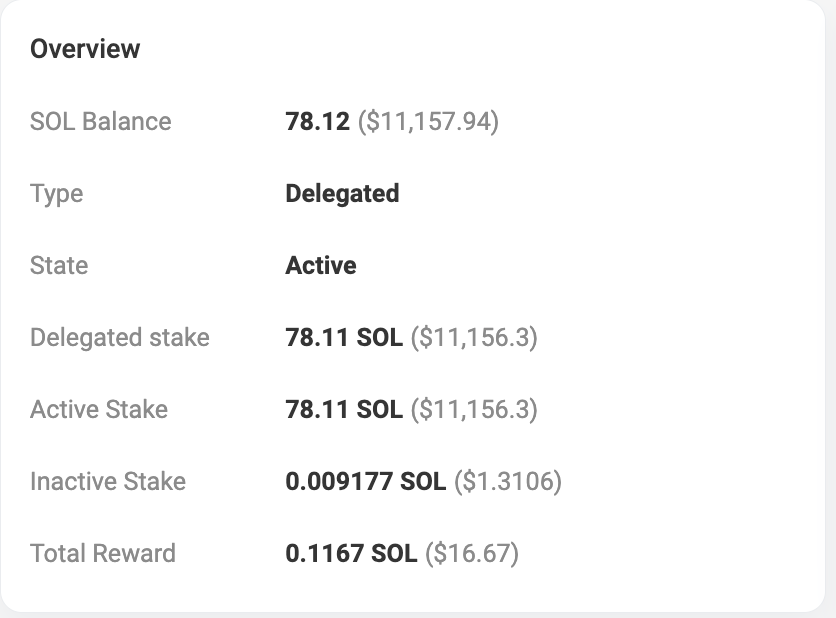
Once inside a stake account, review:
* 📈 **Total Reward** – Your **inflation rewards**, already included in your stake and **automatically re-compounded**
* 💤 **Inactive Stake** – Your **Jito MEV rewards**, ready to be claimed and re-staked if desired
#### **Claim and Re-Compound Jito MEV Rewards**
To claim your **Jito MEV rewards** and optionally re-stake them:
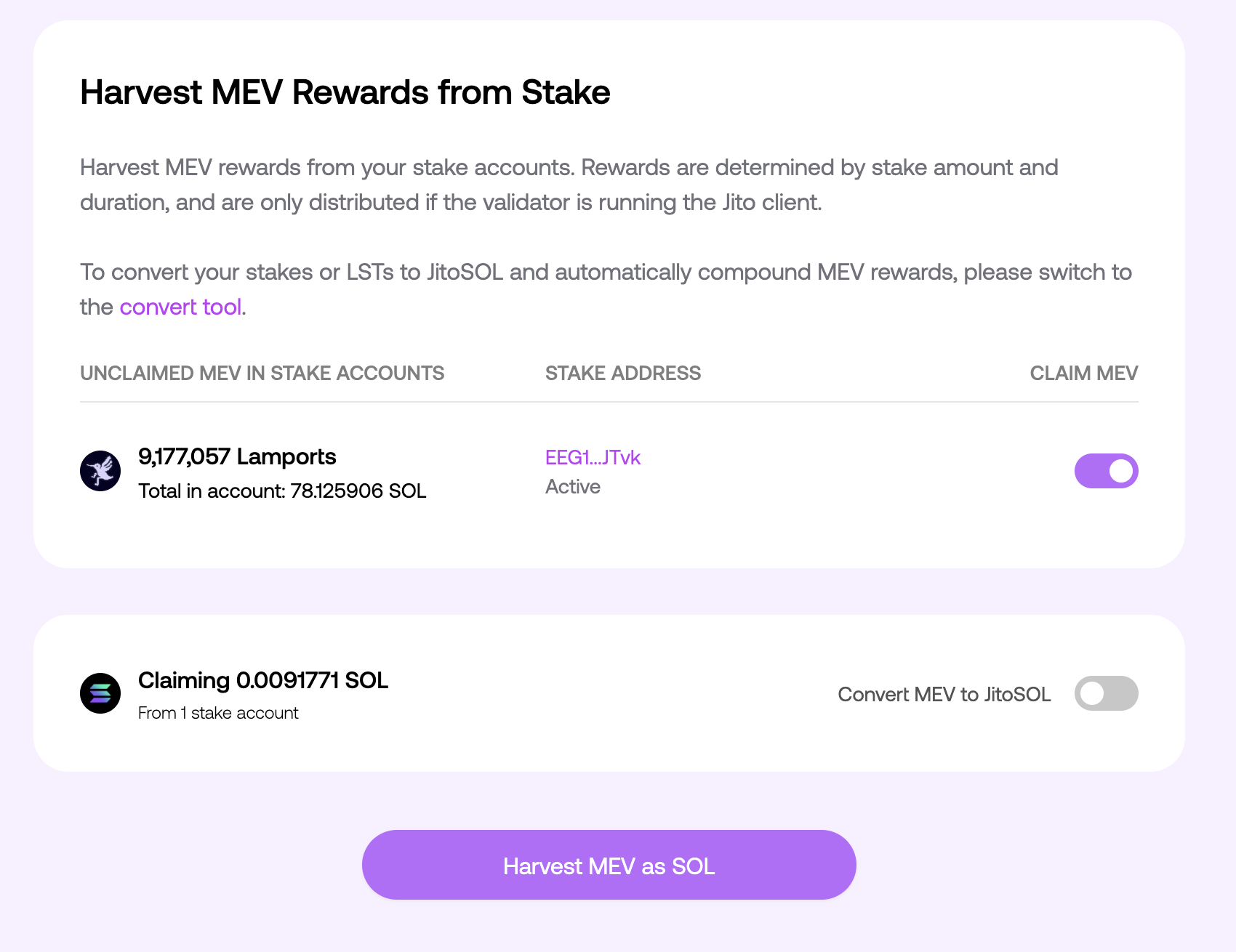
1. Visit the Jito [Harvest UI](https://www.jito.network/harvest/)
2. Connect your wallet
3. Click **“Harvest”** if rewards are available
4. Claimed rewards will be sent to your wallet
5. To re-compound, manually stake the claimed SOL back to Kolibrio